MettaX and Escort-TD Sensors Connection Manual
Device connection (Wi-Fi)
Power Mettax Dashcam MC202X up (B+ red wire to the PWR of your power supply and GND black wire to the GND of your power supply). Be sure to connect the ACC line of the Dashcam to the PWR of your power supply as well.
On your smartphone find the Wi-Fi network with the s/n of your Dashcam. Connect to it. Enter the default password: 88888888.

Device connection and RS232 configuration (MCTool app)
Download the MCTool app. Run the app and connect the Dashcam. The dafault password is: 11111. Enter the password and tap on the Sign in button.

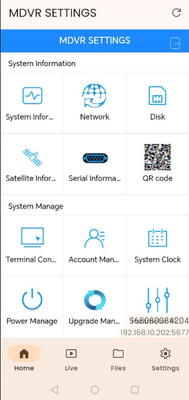
Scroll down to see the Peripheral button and tap on it.
-
Tap on the COM port and then configure it as follows:<gallery widths="250" heights="400"> File:Eng mettax to com config.png

File:Eng mettax main peripheral.png|alt= </gallery>Wiring: BA-BLE adapter and TD600 connection via RS-232
BA-BLE Configuration